
Is your POS's built-in loyalty module enough?
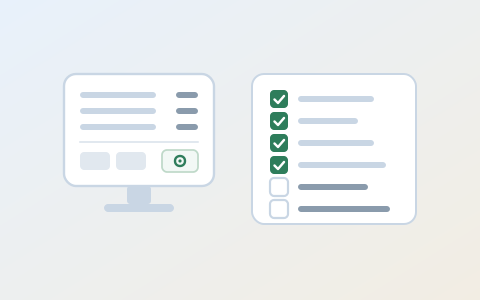
For many cafes and restaurants, customer loyalty does not start with new software. It starts with the loyalty module inside the POS they already use. It is easy on the budget, it runs on a screen the cashier already knows, and points are added with the receipt. As a first step, it works well.
As the business grows, adds branches or wants more targeted campaigns, these built-in modules start to show their limits.
This post is not here to knock the system you use. It is here to help you work out whether it really covers what you need. What makes a module “enough” or “not enough” comes down to how flexible your setup is.
So where is your POS’s loyalty module strong, and where does it get stuck? Six questions to your provider will tell you.
What does a built-in loyalty module do well?
Credit where it is due: the module is already in the till. There is nothing extra to install, no new screen for the cashier to learn, and points are added with the receipt. For a single site with one till and a simple stamp or points scheme, that is a real advantage.
The problems surface as the business grows: when a second branch opens on a different POS, when marketing wants to see what is on the receipt, or when the POS itself is about to change.
Those are the moments for the six questions below.
Six questions to ask your POS provider
| # | Question | Why it matters |
|---|---|---|
| 1 | Is the same member recognised at branches on a different POS? | One customer, possibly several tills. |
| 2 | Do we get line-item data from each receipt? | To build offers around products. |
| 3 | If we change POS, who keeps the member list? | Years of customer records. |
| 4 | How is the cardholder verified at the till? | KVKK 2026/266, deadline 28 February 2027. |
| 5 | How do messaging opt-outs reach İYS and us? | The three-business-day rule. |
| 6 | Can the programme push a reward back to the till? | A birthday gift has to be redeemable at checkout. |
1. Is the same member recognised at branches on a different POS?
A three-branch cafe rarely opens all three at once. The second site may go in on whichever POS gave the better price that year, and a franchisee may bring their own. If the module only knows members on its own tills, a customer who built up points in one branch starts from zero in the next.
Ask your provider: “When a customer visits our branch that runs a different POS, can they see and use their points?”
If the answer is “Yes, as long as every branch is on our system”, your loyalty programme is tied to a POS decision. The other design choices for groups are in loyalty programme design for multi-location chains.
2. Do we get line-item data from each receipt?
Some modules keep only a member’s total spend and visit dates, not what was on the receipt. That can be enough for “message anyone who has not come in for 30 days”. It is not enough for “offer a dessert to members who drink filter coffee but never order one”, which needs product data.
Ask your provider: “Can we see each member’s receipts line by line, and can we export that data?”
3. If we change POS, who keeps the member list?
POS systems change: contracts end, prices rise, a new branch opens on something else. If loyalty lives inside the POS, so do the member records, point balances and visit history. If they cannot move with you, you end up telling customers “Your points have been reset”, which is the moment a programme annoys its regulars most.
Ask your provider: “In what format, and how quickly, can we export the member list with point balances and visit history? Is there a fee?”
4. How is the cardholder verified at the till?
KVKK principle decision 2026/266 deals with someone else using a member’s phone number or card number at checkout. To verify that a card is used at checkout with the “knowledge and consent” of the person concerned, it says data controllers need to set up “verification mechanisms serving this purpose”. The Board extended the deadline to 28 February 2027 with decision 2026/1491.
It is not only about spending points. The decision lists creating a membership, earning points, redeeming points and taking a discount or promotion. It does not impose a single method: it leaves room for different methods by transaction type and risk, and for alternatives for groups of customers who differ in, for example, age or education.
The most common habit at the till is this: the cashier asks for a phone number, the customer says it out loud where everyone can hear, and it is typed in. That number being used by someone else is exactly what the decision is about.
Ask your provider: “What verification step is there when a member is identified at the till: a code, a QR scan, something else? Can points be added by typing a phone number alone?”
Asking does not hand the duty to the provider; the decision addresses data controllers, and who that is in your setup is a question for your own counsel. How long each method takes at the till and what it costs is in the KVKK loyalty verification post.
5. How do messaging opt-outs reach İYS and us?
If the programme sends members SMS or email, the İYS rules apply. The regulation on commercial communication and commercial electronic messages describes a flow in both directions. Article 9(6): the service provider reports opt-outs it receives to İYS within three business days. Article 9(7): the recipient can also opt out through İYS itself. And Article 10(1) says sending stops within three business days of the opt-out reaching the provider.
So a customer can opt out with you or directly in İYS. If the module sends through a separate SMS panel, an opt-out on one side may not reach the other in time.
Ask your provider: “When a customer opts out in İYS, how soon does that reach our send list? Who reports the opt-outs we receive directly to İYS?”
6. Can the programme push a reward back to the till?
Collecting points is half the job. The other half is redeeming at checkout: the birthday gift, the eleventh coffee, the win-back discount. In one retail chain we saw, the POS integration had built the step that sends points to the loyalty system, but never the step that brings the member’s available rewards back to the till. The programme defined a birthday gift, and the cashier could not see it on screen.
Ask your provider: “Do a member’s available rewards show on the till screen, and can the cashier apply one to the receipt in one step?”
When is the module enough?
Not every business needs separate loyalty software. If all of these hold for you, starting with your POS’s module can make sense:
- You have one branch and no near-term plan for a second.
- You run one POS and do not plan to switch.
- Your scheme is simple: a stamp card or flat points, maybe a birthday gift.
- You do not send bulk SMS to members, or if you do, your provider can show you how opt-outs flow.
- Your provider can show you the verification step at the till.
When one of these changes, ask the six questions again. What a programme that runs without a POS connection can and cannot do is covered in loyalty program: is POS integration required?.
What can you do this month?
- Send the six questions to your provider in writing and put the answers in a table. “Yes, that works” on the phone is not the same as “On this screen, like this” in writing.
- Spend a week watching how members are identified at your till: a phone number, a code, a QR scan? 28 February 2027 is less than five months away.
- Try exporting your member list today. If you cannot, you already have the answer to question three.
- If you are going to HOSTECH by TUSİD at Tüyap, 10 to 14 November 2026, put the same six questions to the technology providers you meet.
Where these questions land in Bonobo
In Bonobo the member record lives in the loyalty platform, not in the POS, and transactions from integrated POS systems are written to the same member. On the customer side there is a WebApp that opens in the browser with nothing to install. Bonobo can also run without a POS integration; the member is then identified at the till with a code sent by SMS or email. Which feature sits in which plan is on the plans and pricing page.
If you would like to go through these six questions against your own till setup, book a 20-minute call.
The figures and rules in this post come from the linked sources; last checked 30 September 2026.